 3DP Hub
Why Some Infill Patterns Are Bad
Published
When your printer makes something solid, it doesn't fill the whole inside with plastic. That would waste a lot of plastic and take forever. Instead it draws a pattern on the inside, kind of like a waffle or a honeycomb. This pattern is called infill. And some patterns cause problems.
Search
1. What is Infill?
When your printer makes something solid, it doesn't fill the whole inside with plastic. That would waste a lot of plastic and take forever. Instead it draws a pattern on the inside, kind of like a waffle or a honeycomb. This pattern is called infill. And some patterns cause problems.
2. The Problem
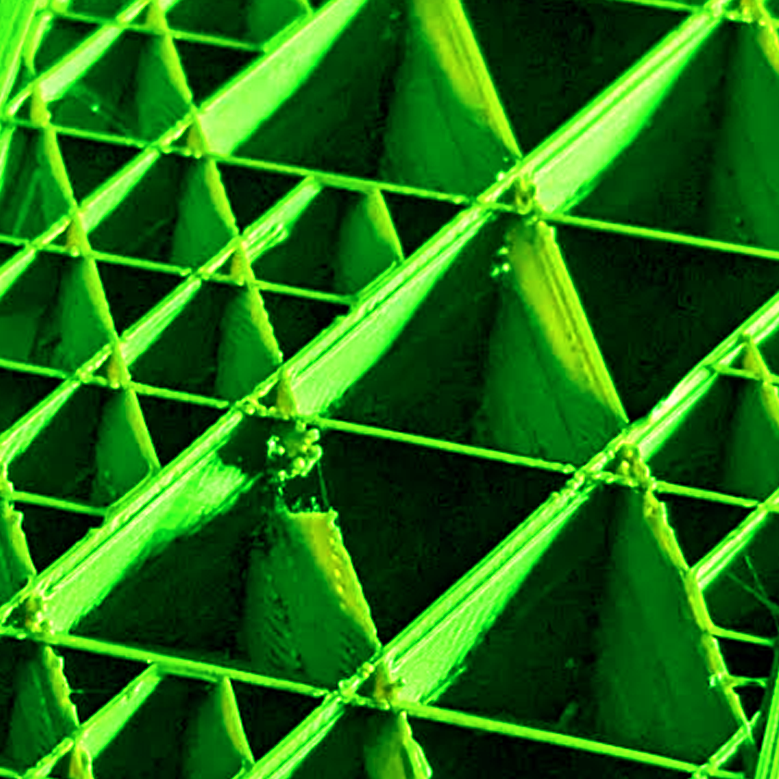
Some infill patterns make the printer draw lines that cross over lines it already drew in the same layer, which creates a buildup of plastic at each point where the lines intersect, and scraping of the nozzle.
3. What Happens Next
First, it knocks the bump sideways or smears it around. Although this happens on the inside of the print and you can sometimes get away with it, it can affect the quality of the outside too.
Second, when the nozzle scrapes a bump, sometimes a little bit of plastic sticks to the nozzle tip and rides along with it. That little bit of plastic scrapes the next bump, and picks up a little more, and so on. Sometimes it can end up dragging a clump of gooey plastic around with it, smearing it all over your print, causing a partial clog which affects quality - or worse - completely encapsulating your hotend because the filament isn't going where it should.
Third, if the nozzle catches a bump hard enough or scrapes many times, it can knock the print loose, or worse - drag the whole thing off the build plate, resulting in "spaghetti".
The sound of the scraping can often be heard, and when you hear it you can instinctively tell it's bad. The vibrations can translate to loosening of screws particularly around the hotend and extruder.
This usually also makes resonance worse - which contributes to "VFA" or print quality issues on outer surfaces which look like vertical bands. In some cases, this can completely ruin the dimensional accuracy of the print.
4. The Naughty List
The following patterns are particularly problematic:
Infill Pattern | Intersection Logic | Risk Level |
|---|---|---|
Grid | Two perpendicular line sets crossing in the same layer | High |
Triangles / Tri-hexagon | Three-way nodes from three intersecting line sets | Very High |
Cubic / Adaptive Cubic | Inclined paths that still require same-layer crossings | Moderate/High |
5. Some Plastics Make It Worse
PLA is pretty forgiving. When the nozzle scrapes a PLA bump, the bump usually just gets knocked flat and the damage is mostly cosmetic. You might hear a little scraping sound and see some rough texture, and you might be able to get away with it sometimes, but it's not good and can still cause issues.
PETG is much stickier when it's warm. Instead of getting knocked flat, a PETG bump grabs onto the nozzle tip. This makes it much more likely to build up into that traveling clump of plastic, and much more likely to eventually catch and knock the print loose.
6. Simple Solution
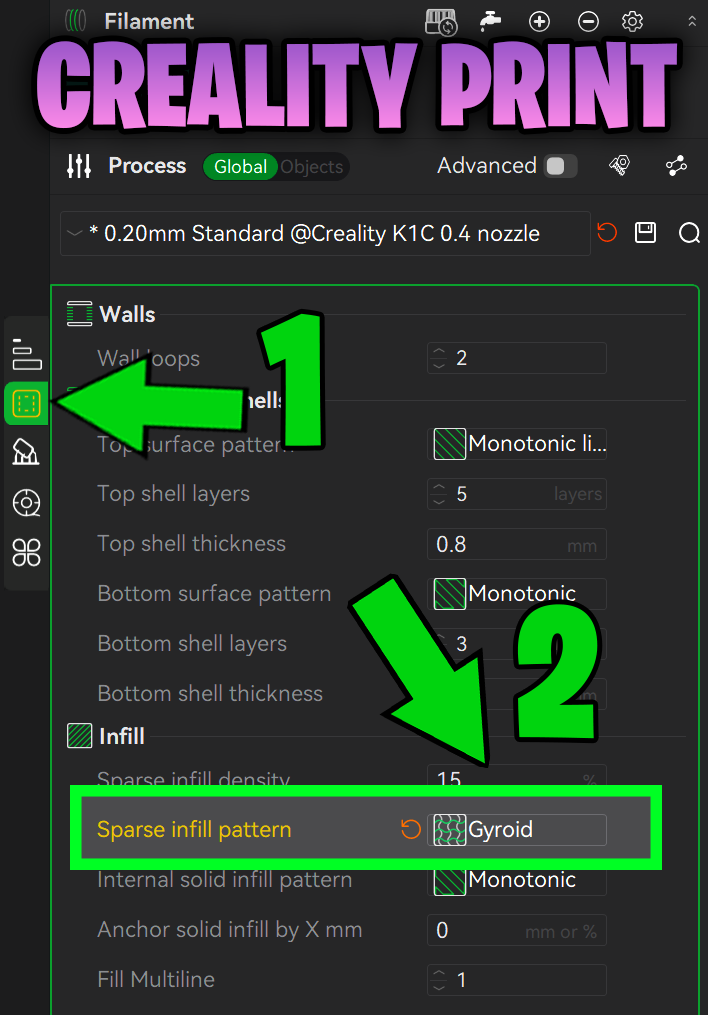
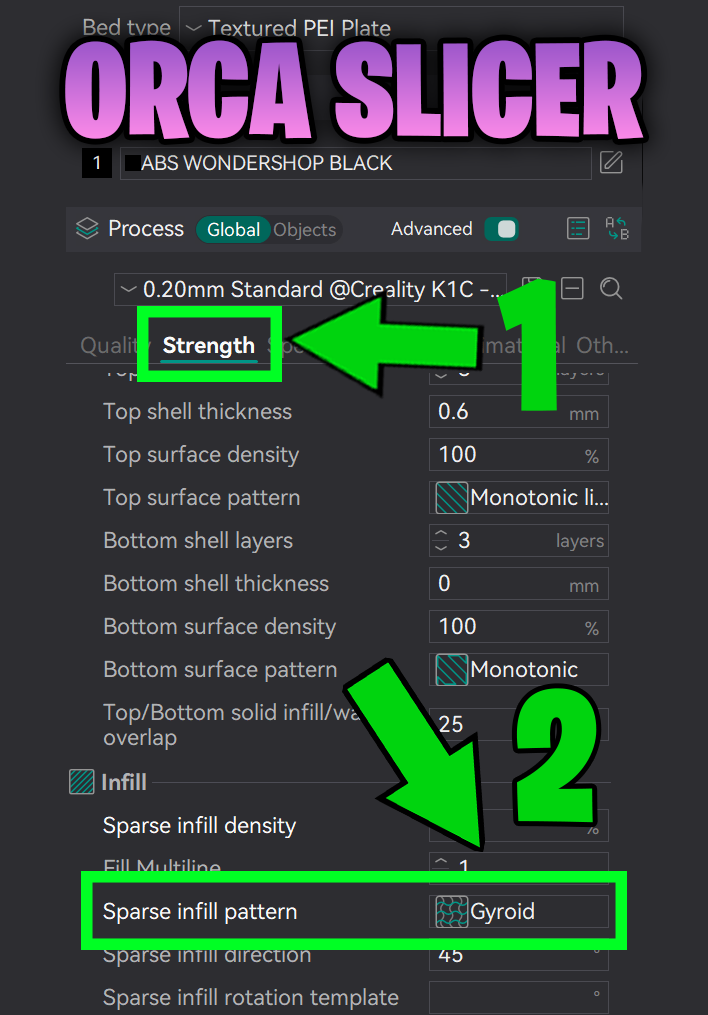
The good news is that some infill patterns are designed so the lines never cross each other in the same layer. This eliminates all of the issues mentioned above with the click of a button. Simply changing your infill pattern to Gyroid is the best all-round solution, with a good balance of speed, strength and cost.
 |  |
|---|