 3DP Hub
Nozzle PID Calibration
Published
This calibration should be done when you change a hotend or nozzle. It measures how your new setup heats up and tunes the heating to eliminate temperature fluctuations which can affect quality.

Search
Configuration guidelines
This guide uses Fluidd. It's a third party web interface for controlling and monitoring any klipper printer.
On a Creality K1 series, this requires root access.
1. Preparation
0%
1.
Clear your build plate.
2.
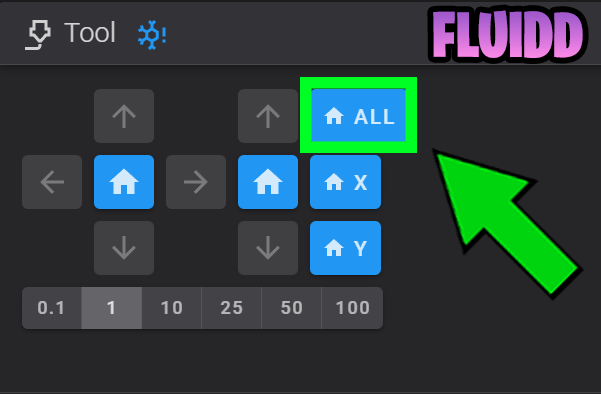
Home the printer
3.
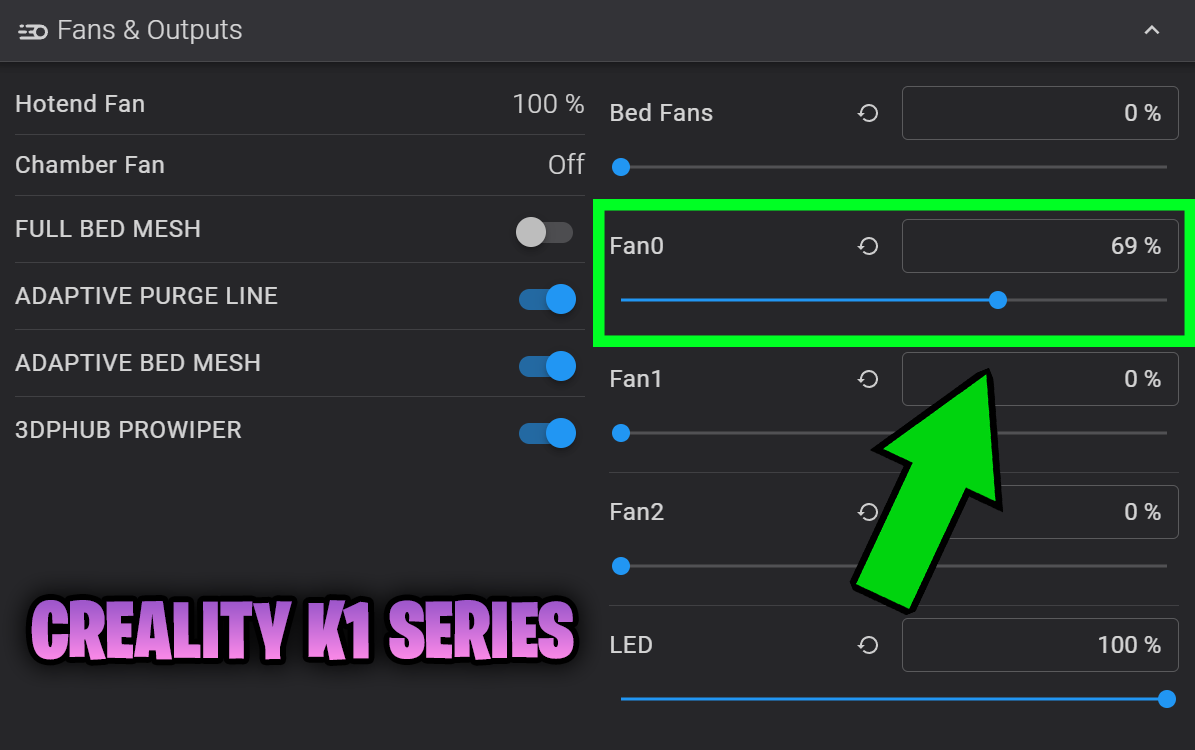
Set the fan to 50% to simulate real world printing conditions.
2. Fluidd
0%
1.
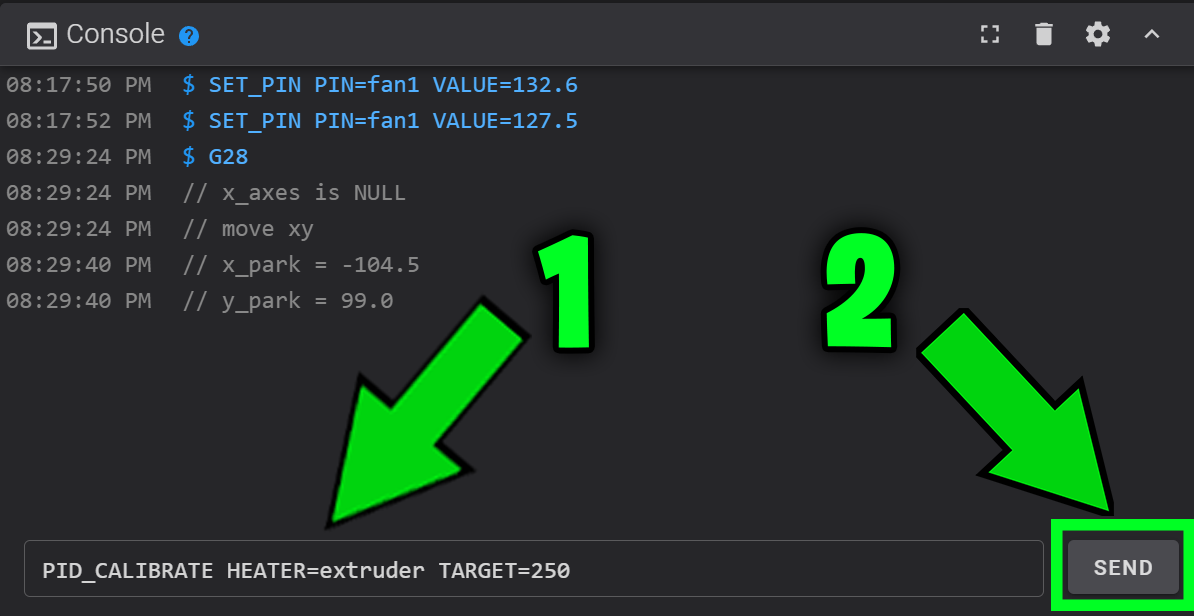
In Fluidd or Mainsail, copy and paste the following command into the console and press SEND:
PID_CALIBRATE HEATER=extruder TARGET=250You can tweak the target temperature to suit your most commonly printed filament
If you have installed the macro, you can just click the button
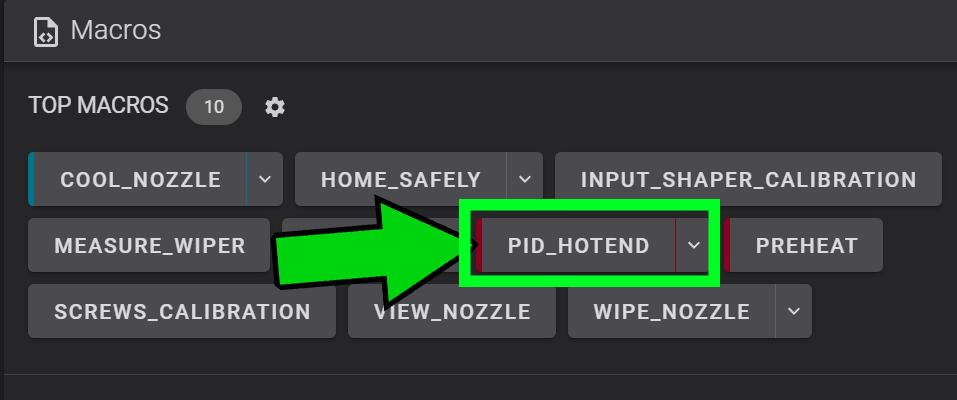
You can save this as a one-click macro for future use
[gcode_macro PID_HOTEND]
description: Start Hotend PID
gcode:
  G90
  {% if printer.toolhead.homed_axes != "xyz" %}
    G28
  {% endif %}
  G1 Z10 F600
  M106
  PID_CALIBRATE HEATER=extruder TARGET={params.HOTEND_TEMP|default(250)}
  M107
  {% set y_park = printer.toolhead.axis_maximum.y/2 %}
  {% set x_park = printer.toolhead.axis_maximum.x|float - 10.0 %}
  G1 X{x_park} Y{y_park} F20000
WAIT_TEMP_START2.
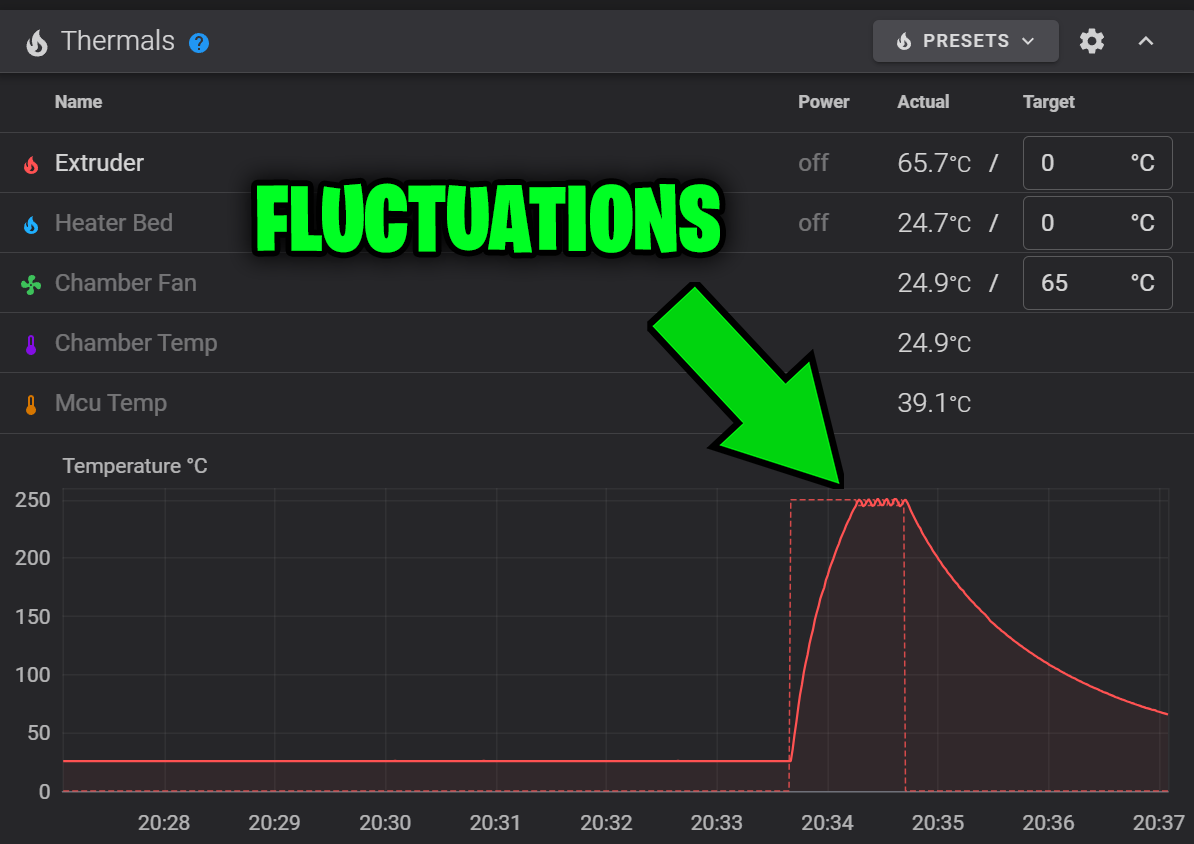
Wait for it to tune. You will see the temperature fluctuations in the Thermals section.
3.
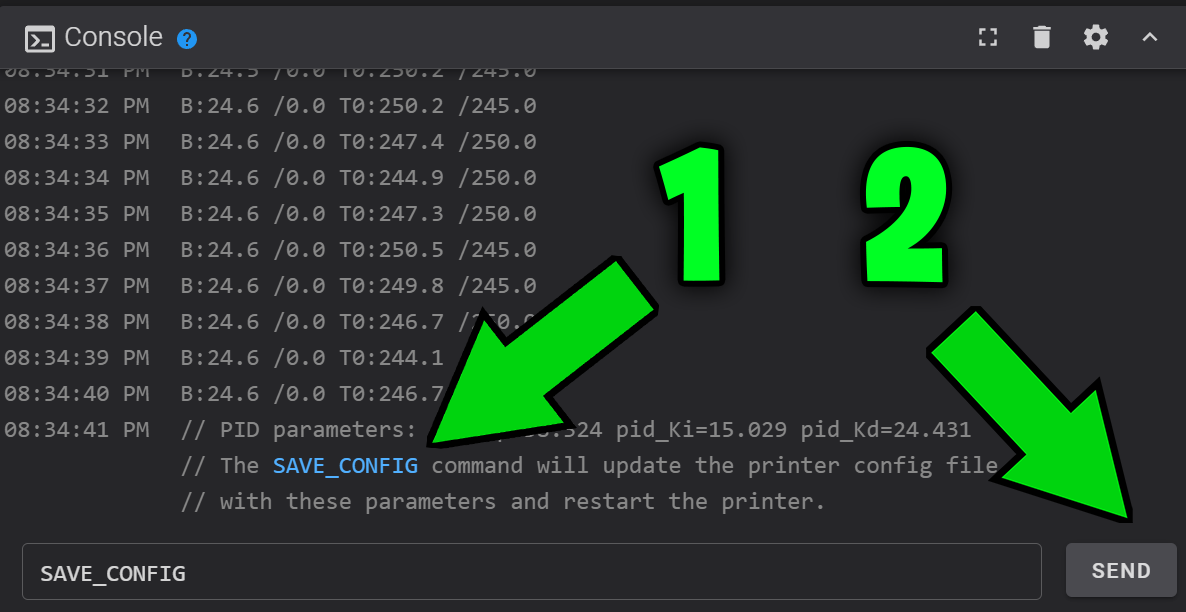
When the calibration is complete, it will prompt you to save the new settings.
Click the blue "SAVE_CONFIG" text to paste the command into the console, and slick SEND
This restarts the printer to load the new config.
4.
It's best to run the slicer calibrations to create a new filament profile